

Motivations
Everyone seems to have their favorite notetaking/productivity app, and I'm no different.
For me, I've been using a combination of Google Keep on my phone for daily planning and small notes, and Microsoft OneNote (the desktop app) on my laptop for planning larger projects, (usually coding projects), or taking notes for when I'm learning something new, (usually a coding language).
Anyway, when I made this app, it was a time where I was interviewing for a lot of startups for full-stack positions, and the more I interviewed, the more I realized I needed more experience building back-ends.
I also really wanted to try making a note-taking app, so 2 birds 1 stone.
Tech Stack
Front-end:- React Native
- Expo
- Express (for creating API routes)
- Supabase (for hosting PostgreSQL database and handling authentication)
Database Schema
(will add a nice drawing here in the future)
Design
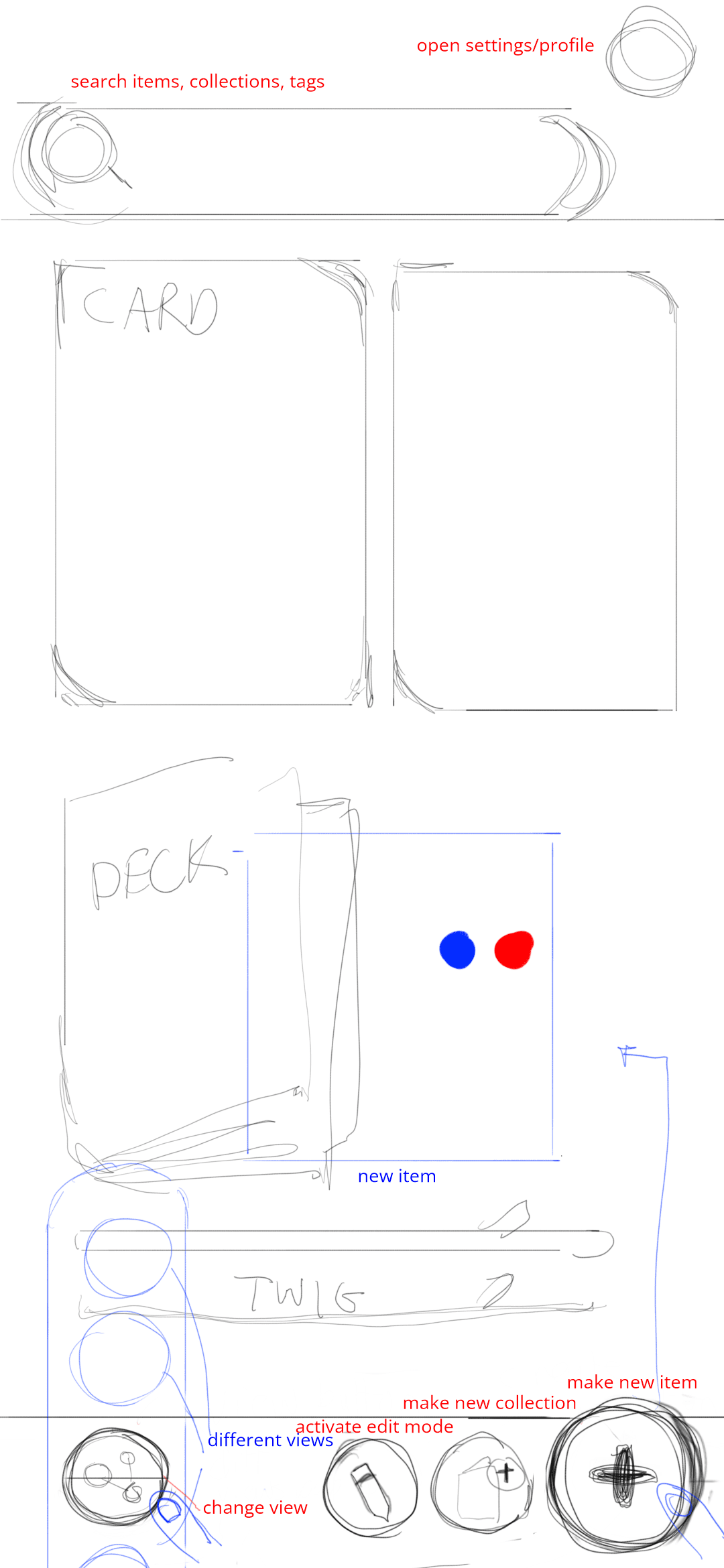
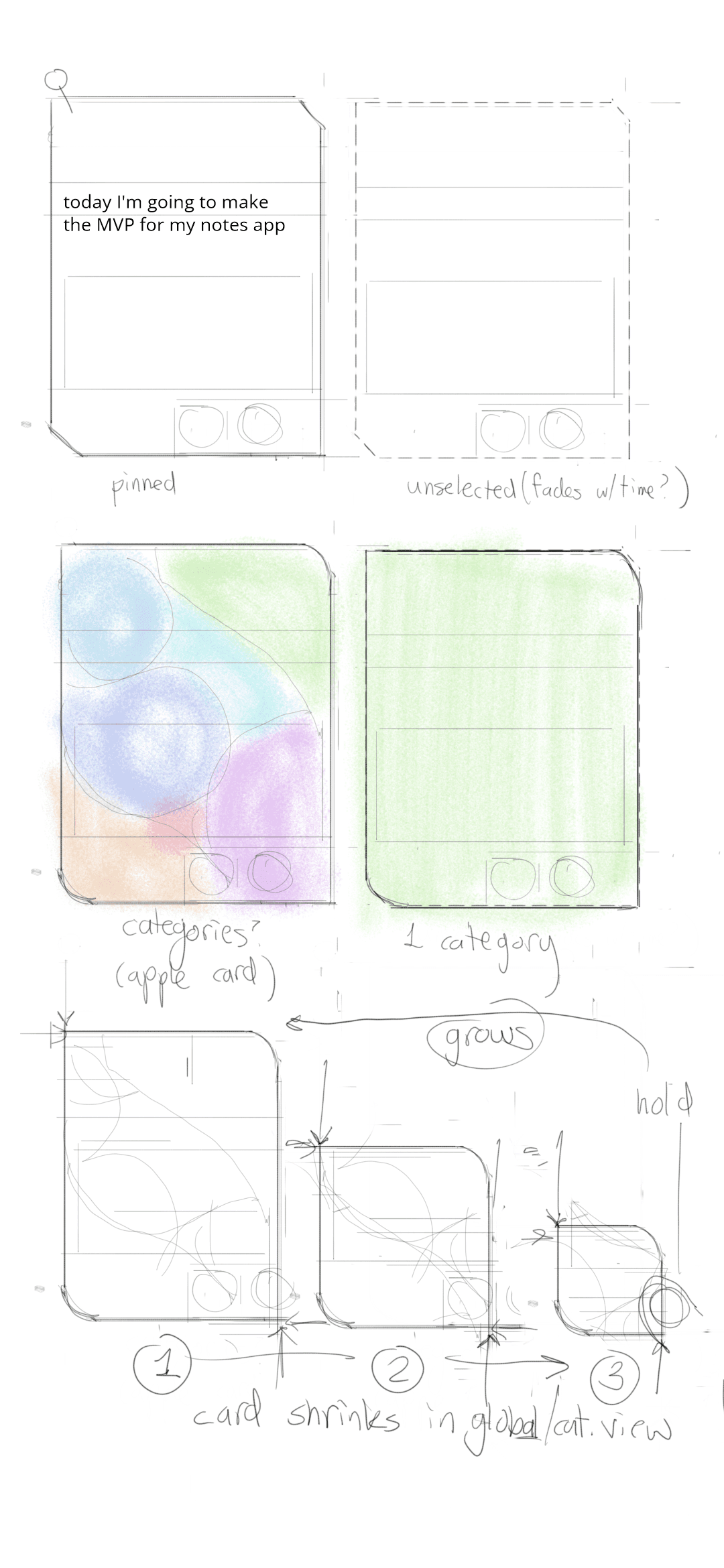
Here are a couple of my sketches designing core screens/components:
home page layout
fun note ideas
Core Features
Initially, I wanted to create some revolutionary collection management app that rethought how information is organized, but then I came back to Earth and decided I needed to walk before I could run.
So, I started by telling myself I would try to recreate Google Keep's mobile app the best I could. Then add some features I wanted after.
Create Note
This feature involved a few steps:
- Pressing the create note button would render the
<NewNote/>component which was essentially a blank note interface for the user to define data for the note. - When a user makes changes to the title/description, I track these changes in state variables in React.
- When the user closes/saves the
<NewNote/>I would make a POST request to my backend to create a new, row with the state variable data that the user entered. Additionally, when the user closes the note, I also trigger a callback function that refetches all the notes, so the new note the user created would show up in the interface for showing all notes.
create new note

Edit Note
This is similar to the Create Note flow, but instead of opening a <NewNote/> component, I render a Note component that fetches the data for that note ID.
- User presses a note, with an associated noteID. This triggers a GET request to fetch data for that note, and render the
Notewith that data. - Any changes the user makes to the
Notewill be again sent to the database, this time with a PATCH request (partial update of existing entry) instead of a POST request (create new entry).
Authentication
Done with Supabase authentication. This was a lot of following guides and tutorials... (expand on this later)
Fun Features
Long-press Action Menu
This feature was probably the one I enjoyed making the most. It was done using the GestureHandler package, (super fun) and also an animation package,.
Essentially, the GestureHandler package adds a listener for "long press" on my notes, and when that triggers, I trigger the following UI changes:
deleting a note

duplicating a note

Aging Notes
This idea came about when I was thinking about how as information grows in size, it inevitably becomes harder and harder to manage and parse.
After some brainstorming, I came up with the idea of using color, specifically luminosity, to provide information on all your notes "at a glance".
The idea is essentially to correlate the age of a note with how "dull" the background is, that way frequently visited notes remain fresh and vibrant, and old notes that may need to be archived have a subtle, visual indicator.
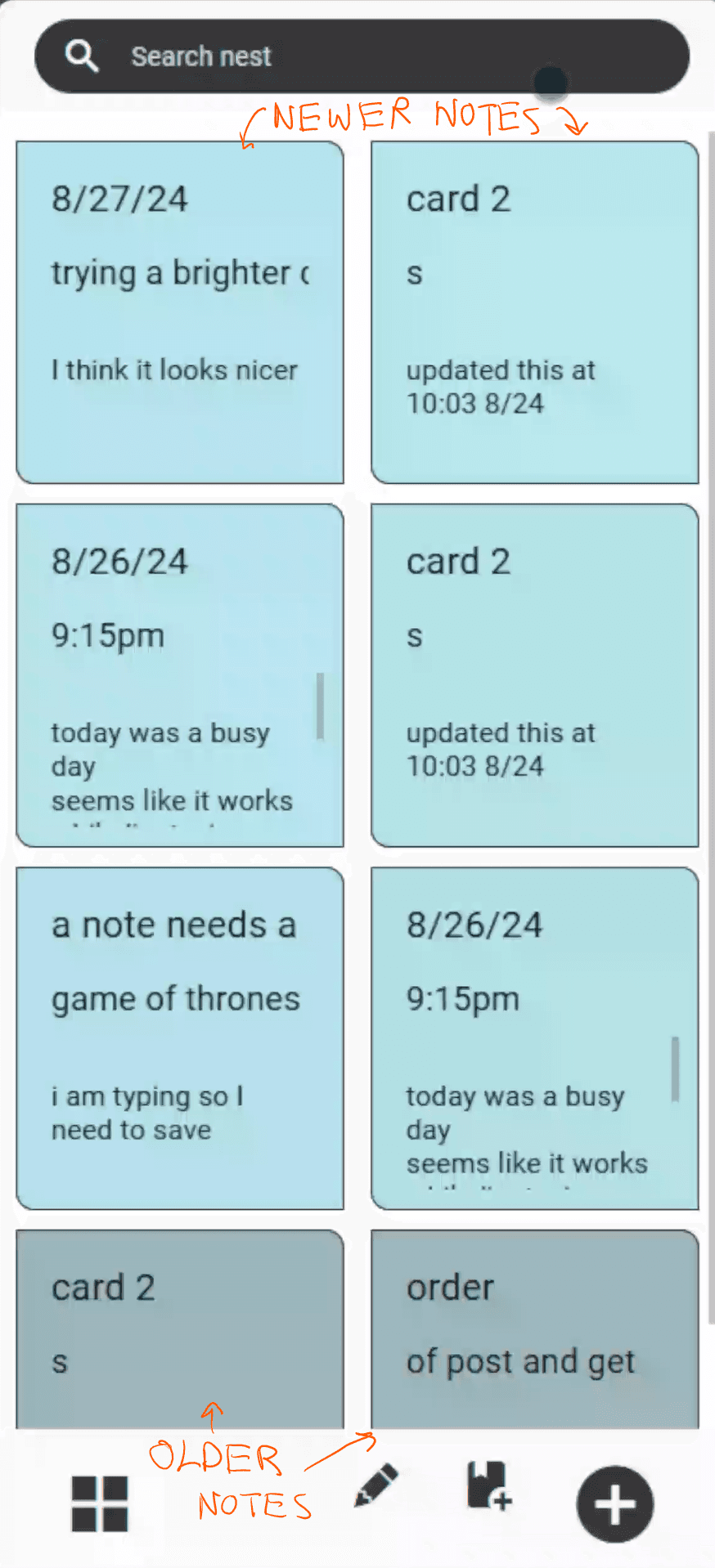
This idea was one that I was pretty proud of, showing that some ideas don't require complex code, but rather a clean design.
Changing View
This feature also made use of the GestureHandler and animation package. Long pressing the view button would slide open the view toolbar, and releasing above a view icon would rerender the notes in that format.

Learnings & Challenges
One of the biggest things I learned from this project is it's important to set up the "boring" stuff first, before diving into more "fun" front-end features and interactions.
For this project, the most glaring features I should have build out first was authentication. Because in the MVP of the app, each user only accesses their own notes.
Reflection
This project taught me a lot about building my own backend as well as how to setup Authentication .